
Why should a camping site’s website take bookings?
A booking taken on your own site pays no marketplace commission, and for most camping sites that commission is the biggest cost that goes unnoticed, more than anything spent on software. The direct channel works alongside Booking.com and Airbnb and cuts your dependency on them. Showing a clear price usually speeds the guest’s decision up, and extras that are visible during booking get sold more often.
We start from how your business actually runs: group sizes, the vehicle types you host, the extras you sell and where requests come from today. The feature set follows from that analysis, which usually takes a day or two.
The core four
A first version holds the four pieces a guest needs to get a feel for the place, see the price for themselves and message you with confidence. With these four in place the website goes live in 2-4 weeks, and from then on your requests arrive in one flow.
- Booking and live pricing
- A visual showcase: a categorised gallery
- Direct contact: the WhatsApp handoff
- Trust signals: reviews and social proof
Other layers, such as multiple languages, automated deposits or a management panel for a growing team, only get added once a real need shows up.
Try it: the Ormanev demo
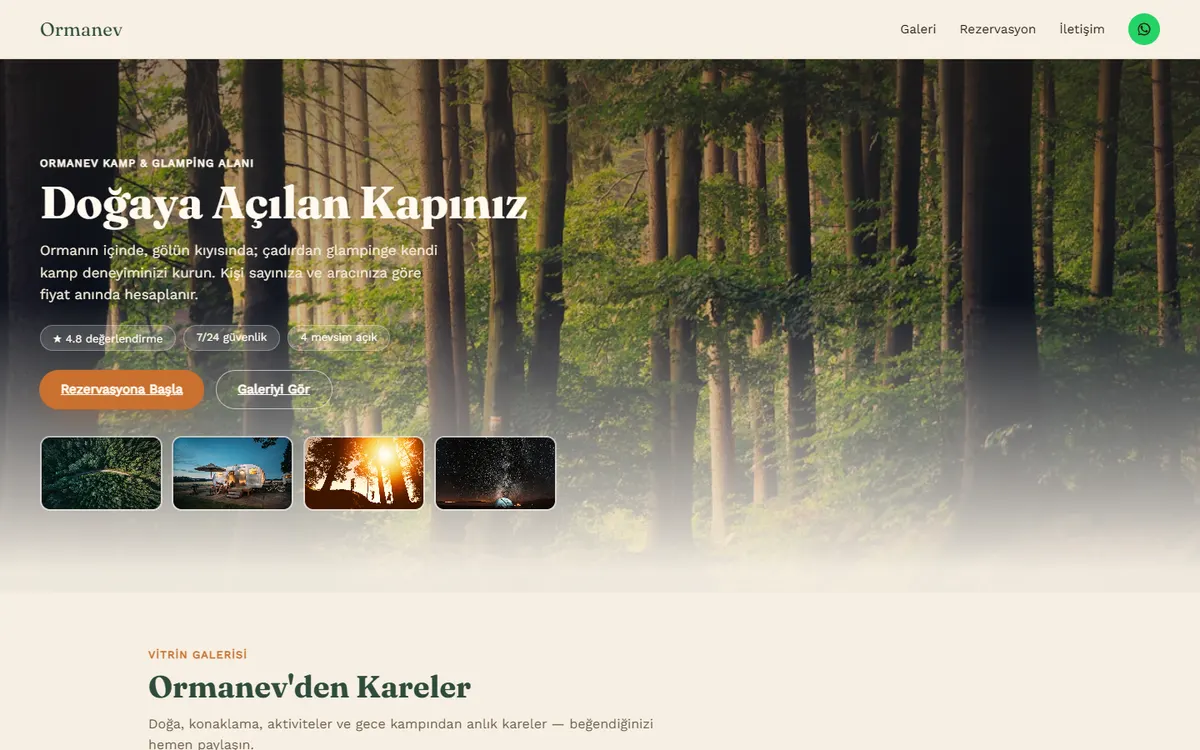
Ormanev is an interactive demo we built for a camping and glamping site: dates, headcount, vehicle and extras update the total at every step, and the last step opens the summary as a WhatsApp message. It runs on sample data; you can try it from the demo page below.
How a booking request moves through the site
Requests still reach you on WhatsApp; the difference is that the price is already worked out and the summary is ready. There’s usually no payment step in a first version, and a booking is only confirmed once you approve it. You can start without changing much about how you work today, and add a deposit step later if you want one.
The message reaches you with the dates, headcount, vehicle, extras and total already filled in, so the back-and-forth about price and availability gets much shorter. You check the dates are free and approve. Once you block them in the panel they close on the site as well, and the next guest asking about that weekend can see it for themselves.
Write your pricing rules down before we start
Live pricing is only as accurate as the rules behind it, and in most businesses those rules live in the owner’s head or a notebook. Putting them on one page first shortens the analysis and cuts down the late “we charge for that too” surprises. These headings usually cover it:
Seasons and weekends
Which dates count as high season, whether weekends cost more, and whether bank holidays are priced separately.
Minimum stay
Rules such as a two-night minimum at weekends. The system applies them while the guest is booking.
Guests and ages
Do you price per person or per tent or bungalow? Up to what age do children stay free or at a reduced rate?
Vehicle type
Separate fees for cars, motorhomes, caravans and motorbikes, plus any charge for an electric hook-up.
Extras
Firewood, breakfast, equipment hire, pets. Which are charged per person and which are one-off?
Deposit and cancellation
How much you ask for after approval and what you refund on cancellation. The policy text on the site comes from this.
Avoiding double bookings alongside Booking.com and Airbnb
Once a direct channel opens, the same night can be sold in two places. Most marketplaces offer a calendar link that exports blocked dates, and your site’s calendar can be synced through it. The sync isn’t instant, though: each platform refreshes on its own schedule. The delay causes the most trouble when you have few units and a busy season.
Because approval stays with you, you can check the other platforms before confirming a request that lands in WhatsApp. It also helps to settle a few things before launch:
- Which calendar is the master, and who blocks the dates
- How you handle the last units (some sites sell the final one only through the direct channel)
- How you tell a guest if a clash happens anyway
- Whether a request waiting for your approval holds the dates
Is a direct booking site worth it for you?
Two things decide it: where your requests come from today, and how much your price varies. If guests already message you by phone or WhatsApp and you work out every price by hand, that’s where a booking site helps most. If your price is flat and bookings come through one platform without trouble, there’s no need to rush.
Usually worth it if
- Most requests arrive by WhatsApp, phone or DM
- Your price changes with headcount, vehicle and extras
- You have returning guests or a social media following
- You want to manage prices and blocked dates yourself
Probably not yet if
- Nearly all your bookings come from one platform and you’re happy with that
- Your price is flat and questions are rare, so a simple page does the job
- The site hasn’t opened yet and capacity and prices aren’t settled
The budget follows the scope and is settled in writing after the scoping call. If you want to compare, our published budget bands, rates by role and scope timelines are on the pages below (as of October 11, 2026).
Cost and timeline guide
Every budget band, our rates by role and the timeline for each scope tier, on one page.
Pricing
The four engagement models, payment terms and what the price covers.
Frequently asked questions
Do I need to close my Booking.com or Airbnb account?
No. The direct channel works alongside them: the website adds commission-free bookings while the marketplace stays as extra reach. That way you aren’t dependent on a single platform.
I want to keep approving reservations myself. Is that possible?
Yes. The system prepares the request and hands it to WhatsApp; the final decision stays with you. Automated deposits are an optional later step.
Can I change prices and blocked dates myself?
Yes. Prices, extras and availability are kept as data, so you update them from a panel without touching code.
Does a small camping site need all of this?
No. For most sites the core four are enough: booking and pricing, a showcase, direct contact and trust signals. Everything else is added when it’s needed.
How soon can a camping booking site go live?
A typical first version, with the booking flow, pricing, gallery and WhatsApp handoff, goes live in 2-4 weeks. The first day or two is spent clarifying pricing rules and the reservation flow.
What changes if we want to take a deposit?
A payment step is added to the flow, along with a page setting out your cancellation terms. Payment providers take a fee on every transaction, so it’s worth putting that next to the marketplace commission. Many sites start with WhatsApp approval and add deposits once requests settle into a pattern.
Besides the software, what should I budget for?
Small yearly items such as the domain and hosting, good photos and the words on the site. If you take deposits, the payment provider’s fees; if you want more than one language, translation. Photos are the item people put off most, yet they’re one of the first things a guest looks at.
What happens if something breaks after launch?
We fix bugs free of charge for 30 days after launch. After that we can work job by job or on a monthly retainer for pre-season changes and new features. You get a perpetual licence to use the software, with user documentation as part of the handover; source-code transfer is available for an additional fee.